Search has changed a lot in the last few years. Many SEO professionals are asking the same question: Do Core Web Vitals 2026 still Matter? as AI-powered search experiences, AI Overviews, and generative search become more common.
The short answer is yes, but not in the sense that most people think.
Google still includes Core Web Vitals 2026 in its page experience ranking factor, but they’re not a shortcut to better rankings. Google still focuses on publishing useful, relevant content above everything else. If you haven’t already, read our guide on On-Page SEO in 2026 to understand how content quality and page optimization continue to influence rankings. But if two pages offer equivalent value, the page that provides a faster, smoother user experience may have the edge.
Core Web Vitals 2026 also affect how users interact with your site, apart from SEO. Slow-loading pages, unresponsive buttons, or layouts that shift unexpectedly can frustrate users, leading to higher bounce rates and lower conversions.
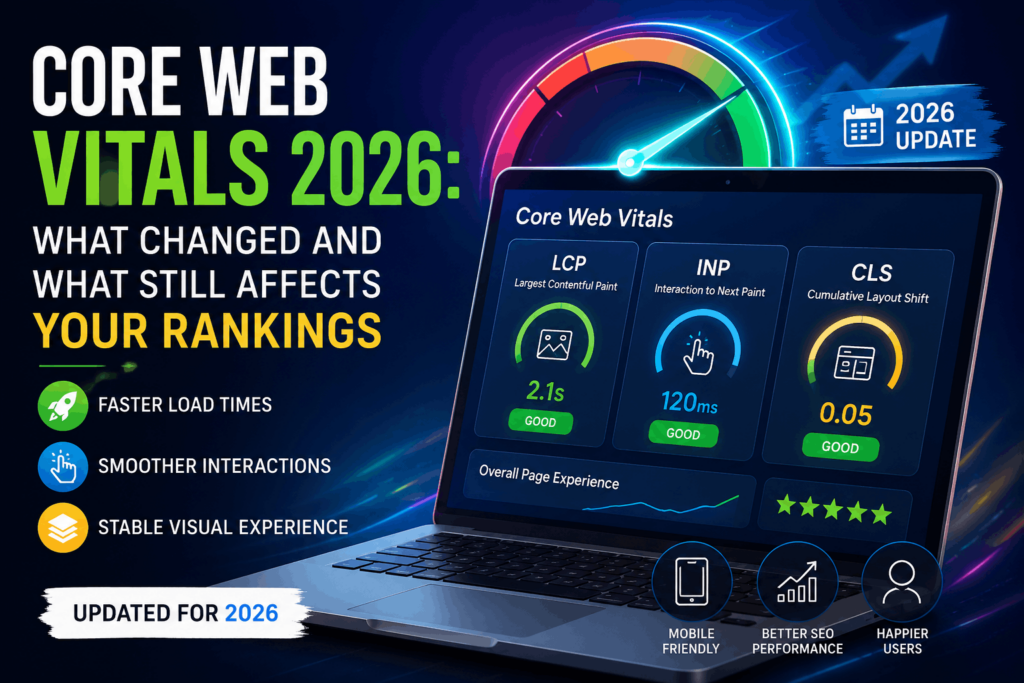
This is particularly crucial for WordPress websites, where performance is frequently a function of the quality of hosting, themes, plugins, and image optimization. The good news is, you don’t have to be a coding expert to fix many of the Core Web Vitals issues.
This guide will walk you through what Core Web Vitals 2026 are, what’s new, how to measure your scores, and the practical steps you can take to improve your website’s performance.
What Are Core Web Vitals 2026?
Core Web Vitals are a set of performance metrics from Google that measure how users experience a webpage.
Instead of simply measuring page speed, these metrics measure three core components of the user experience:
- How quickly the main content loads
- How responsive the page feels
- How visually stable the layout remains
Google uses field data, or real-world user data, collected from the Chrome User Experience Report to primarily measure these metrics. This means your scores are based on how real visitors experience your website, not just how a page performs in a lab test.
The three Core Web Vitals are:
- Largest Contentful Paint (LCP) – Measures loading performance.
- Interaction to Next Paint (INP) – Measures responsiveness to user interactions.
- Cumulative Layout Shift (CLS) – Measures visual stability.
These metrics together help Google understand if users are getting a fast, responsive, frustration-free experience.
Understanding LCP, INP, and CLS
Largest Contentful Paint (LCP)
Largest Contentful Paint (LCP) is a metric that measures how long it takes to load the largest visible element on a page.
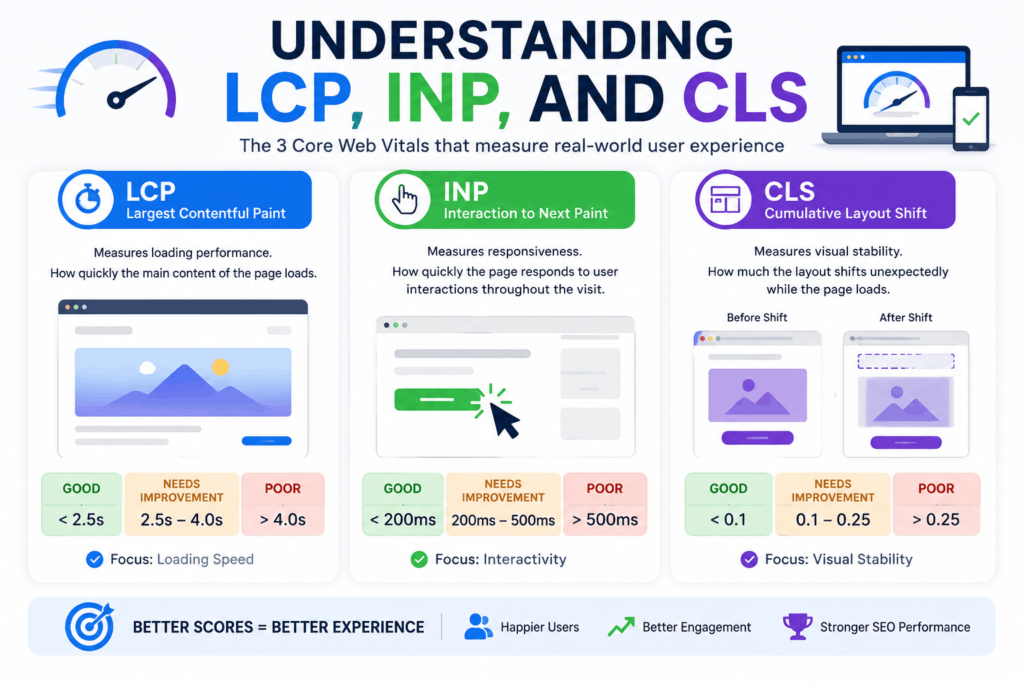
In most cases this is one of these:
- A hero image
- A featured image
- A large heading
- A banner section
- A prominent content block
Improving LCP is vital as it’s the content visitors are waiting for, making your website feel much faster.
LCP Thresholds
| Rating | LCP Score |
| Good | Less than 2.5 seconds |
| Needs Improvement | 2.5–4.0 seconds |
| Poor | More than 4.0 seconds |
Interaction to Next Paint (INP)
If you have been doing SEO for a few years, you may recall First Input Delay (FID).
But in 2024 Google replaced FID with Interaction to Next Paint (INP) which is still the official responsiveness metric in 2026.
This is an important change, as FID only measured the delay to a user’s first interaction.
INP goes a lot further. Instead of measuring a single action, it measures how your website performs across an entire visitor session.
It looks at interactions such as:
- Clicking buttons
- Opening navigation menus
- Filling out forms
- Selecting filters
- Expanding FAQs
- Typing into search fields
This makes INP a far more realistic picture of how users experience your website.
INP Thresholds
| Rating | INP Score |
| Good | Less than 200 ms |
| Needs Improvement | 200–500 ms |
| Poor | More than 500 ms |
Cumulative Layout Shift (CLS)
Cumulative Layout Shift (CLS) is a measure of how much elements move unexpectedly as a page is loading.
This is a very common experience. Almost everyone has had this. You try to hit a button and an image loads or an ad pops up and everything moves.
Common reasons:
- Images without predefined dimensions
- Ads loading after the content
- Dynamic banners appearing above existing content
- Web fonts swapping during loading
- Embedded videos without reserved space
Less layout shifts lead to a more refined feel and contribute to an improved end-user experience.
CLS Thresholds
| Rating | CLS Score |
| Good | Less than 0.1 |
| Needs Improvement | 0.1–0.25 |
| Poor | More than 0.25 |
Core Web Vitals 2026 Threshold Summary
For quick reference, here are Google’s recommended thresholds for LCP, INP, and CLS in 2026.
| Metric | Good | Needs Improvement | Poor |
| Largest Contentful Paint (LCP) | < 2.5 seconds | 2.5–4 seconds | > 4 seconds |
| Interaction to Next Paint (INP) | < 200 ms | 200–500 ms | > 500 ms |
| Cumulative Layout Shift (CLS) | < 0.1 | 0.1–0.25 | > 0.25 |
These benchmarks are still the recommended targets for Core Web Vitals 2026.
What Changed in Core Web Vitals 2026?
Many site owners expect Google to release new Core Web Vitals metrics annually.
If you were hoping for a new Core Web Vitals 2026 metric, the answer is pretty straightforward: there isn’t one.
In fact, the biggest news about the Core Web Vitals 2026 update is that Google continues to use the same three metrics:
- Largest Contentful Paint (LCP)
- Interaction to Next Paint (INP)
- Cumulative Layout Shift (CLS)
The recommended thresholds are the same as well:
- LCP: Less than 2.5 seconds
- INP: Less than 200 milliseconds
- CLS: Less than 0.1
Google is moving away from adding new signals for performance and instead focusing on providing a good page experience based on real user data.
INP Is Now Fully Established
Interaction to Next Paint (INP), which is set to replace First Input Delay (FID) in 2024, is now the default responsiveness measure used by all of Google’s performance tools.
If you’re still using older SEO checklists that focus on FID, you should update your workflow. Every technical SEO audit should now include INP improvements.
Real User Data Matters More Than Ever
One of the biggest shifts in the past few years has been Google moving to more field data and away from simulated testing.
In simple terms:
- Real visitors matter more than lab scores.
- Passing a Lighthouse audit doesn’t automatically mean your Core Web Vitals 2026 are good.
- Improvements should benefit actual users—not just improve a performance score.
AI Search Doesn’t Replace User Experience
Some marketers think website performance is less important now that AI-generated answers are more prevalent.
That’s incorrect.
Visitors coming from traditional search results, AI Overviews or AI assistants still expect a website that loads quickly, is instantly responsive and doesn’t jump around as it loads.
Great content may get the click, but a bad user experience can still drive visitors away.
How to Measure Your Core Web Vitals 2026
You don’t need expensive software to monitor Core Web Vitals on your website. Google has a number of free tools that can help you understand how your pages perform for real users.
1. Google PageSpeed Insights
The simplest place to begin is PageSpeed Insights.
It shows Field Data (real-user data) and Lab Data (simulated testing), to help you zero in on problems, while also showing how visitors really interact with your site.
The report includes:
- Largest Contentful Paint (LCP)
- Interaction to Next Paint (INP)
- Cumulative Layout Shift (CLS)
- Performance opportunities
- Diagnostic recommendations
Always test your desktop and mobile pages for the most accurate results.
2. Google Search Console Core Web Vitals Report
One of the most valuable resources available to you if your website receives enough traffic is the Core Web Vitals report in Google Search Console.
It groups similar URLs together and identifies patterns that affect the overall performance of your site rather than analyzing each page individually.
It’s also the best place to see how things are going after you’ve rolled out performance improvements.
External Resource: For more on how Google collects and reports this data, see the official Google Search Console Core Web Vitals report documentation.
3. Lighthouse
Lighthouse is built into Chrome DevTools and lets you run full-spectrum performance audits right in your browser.
It evaluates:
- Performance
- Accessibility
- Best Practices
- SEO
Lighthouse does not use real-user data but simulated testing. So, Lighthouse is best used to diagnose issues and test improvements before validating them with field data from PageSpeed Insights or Search Console.
How to Improve Core Web Vitals?
Understanding your Core Web Vitals scores is only the first step. The next step is to improve them.
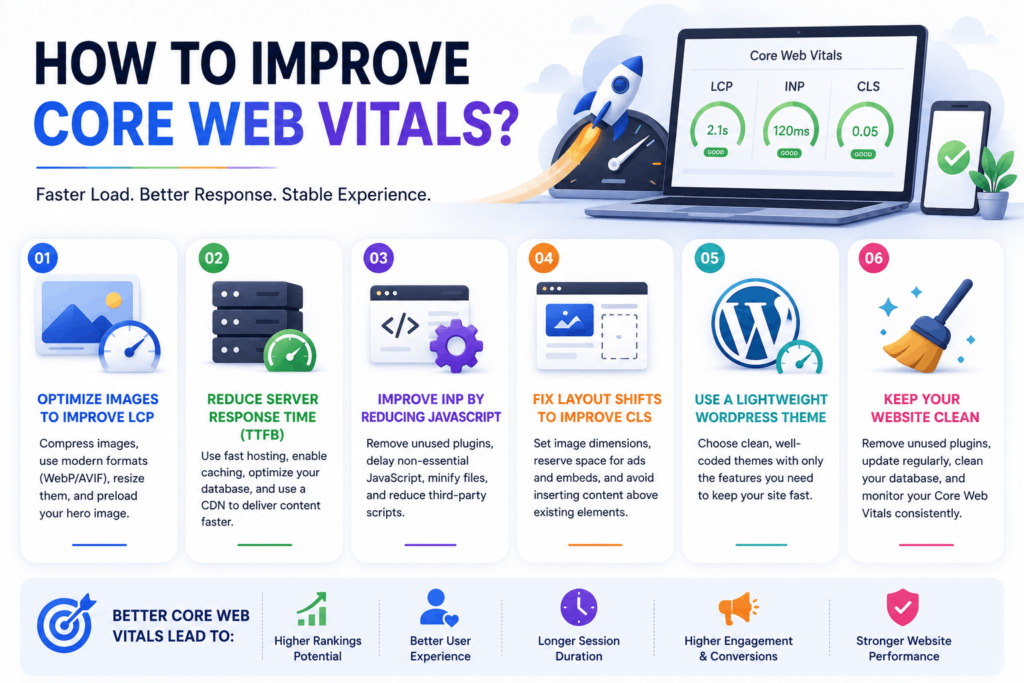
The good news is you don’t need to be a master developer to get a lot of performance improvements. If your website is WordPress-based, you can often get a lot more out of it with better hosting, image optimisation and caching than custom code.
Here are the best ways to optimize Core Web Vitals 2026.
1. Optimize Images to Improve LCP
One of the biggest reasons sites fail Largest Contentful Paint (LCP) is large, unoptimized images.
The LCP element is often the largest image on the page, so optimizing it can have a huge impact on loading speed.
Some simple improvements are:
- Compress images before uploading them.
- Use modern image formats such as WebP or AVIF where supported.
- Resize images to match their display size.
- Preload your hero image so it loads earlier.
- Enable lazy loading for below-the-fold images.
WordPress Tip
If you are on WordPress, you can also use image optimization tools like plugins to automatically compress images and convert them to modern formats without losing visual quality.
2. Reduce Server Response Time (TTFB)
A slow server impacts every visitor even before the page loads.
This is why Time to First Byte (TTFB) is so closely related to Largest Contentful Paint (LCP). Even with flawless optimization, a slow server can prevent pages from achieving a good LCP score.
To reduce server response time:
- Upgrade to a faster hosting provider.
- Enable page caching.
- Use object caching where appropriate.
- Remove unnecessary plugins.
- Keep PHP and WordPress updated.
- Optimize your database regularly.
- Use a Content Delivery Network (CDN) if your audience is spread across multiple locations.
WordPress Tip
Many WordPress sites are slowed down by cheap shared hosting and not-so-good SEO practices. Upgrading to a high-performance host is often one of the biggest improvements you can make to your Core Web Vitals 2026.
3. Improve INP by Reducing JavaScript
Interaction to Next Paint (INP) measures how responsive your website feels to visitors when they interact with it.
Excessive JavaScript is one of the biggest causes of poor INP.
Long scripts make the browser spend more time processing code before responding to user interaction.
To improve INP:
- Remove plugins you no longer use.
- Delay non-essential JavaScript.
- Minify JavaScript files.
- Break up long-running JavaScript tasks.
- Reduce third-party scripts wherever possible.
Many WordPress websites will be more responsive if you install fewer plugins rather than more optimization plugins.
4. Fix Layout Shifts to Improve CLS
Moving while a page loads unexpectedly is a frustrating experience for users.
Cumulative Layout Shift (CLS) is fortunately one of the Core Web Vitals metrics that is often easiest to improve.
Typical fixes include:
- Always specify image width and height.
- Reserve space for advertisements.
- Avoid inserting banners above existing content.
- Reserve space for embedded videos.
- Load web fonts efficiently to reduce font swapping.
A visually stable page helps users navigate with confidence, and reduces accidental clicks.
5. Use a Lightweight WordPress Theme
Not every WordPress theme is built for performance.
Some themes come with page builders, animations, sliders and features that load a lot of CSS and Javascript – even if you don’t use them.
Choosing a well-coded, lightweight theme can improve:
- LCP
- INP
- Overall page speed
Test your website with PageSpeed Insights before changing themes and determine whether your current theme is impacting performance.
6. Keep Your WordPress Website Clean
Performance problems usually accumulate over time.
Review your website regularly and get rid of anything that is not adding value.
Good maintenance habits are:
- Deleting unused plugins and themes.
- Cleaning your WordPress database.
- Updating plugins and themes.
- Removing unnecessary tracking scripts.
- Monitoring Core Web Vitals after major website changes.
Small improvements, done consistently, usually have a bigger impact than occasional large optimizations.
Does Failing Core Web Vitals 2026 Actually Hurt Rankings?
This is probably the most asked question in technical SEO.
The simple answer is:
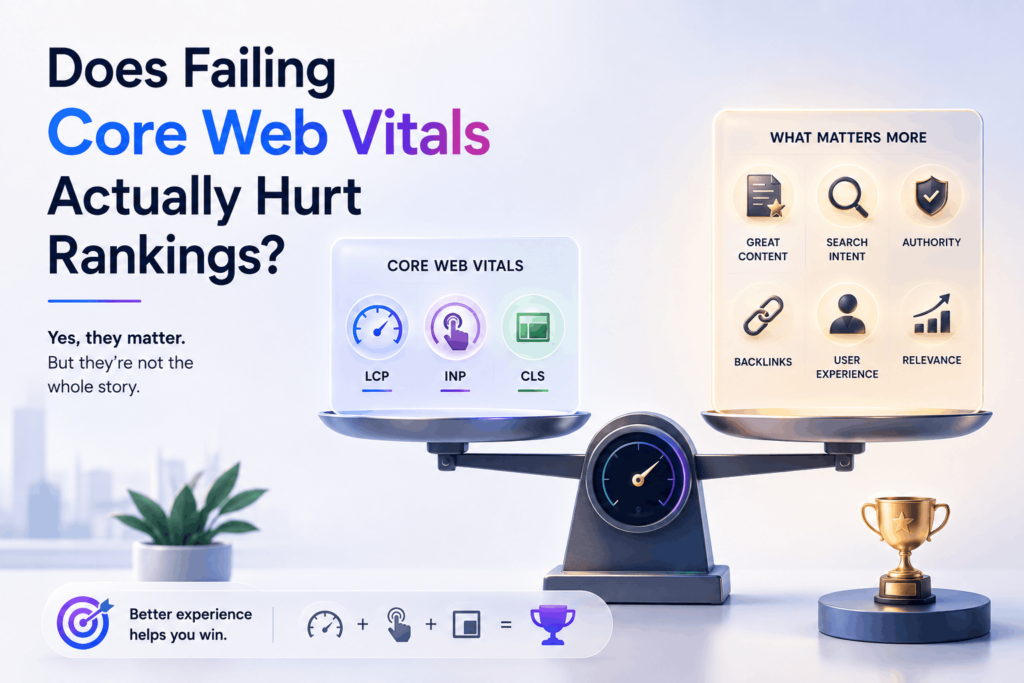
Yes, but probably not as much as many people think.
Core Web Vitals are only one part of technical SEO. Avoiding common technical issues is equally important, so you may also find our guide on Top 10 Common Technical SEO Mistakes helpful.
Excellent Core Web Vitals alone will not automatically allow a page to outrank better content.
For example, poor Core Web Vitals can’t be offset by:
- Content that doesn’t satisfy search intent.
- Thin or outdated content.
- Weak topical authority.
- Poor internal linking.
- Lack of relevant backlinks.
However, if two pages have equally helpful content, the page with the better user experience may do better over time.
The most important thing is that better Core Web Vitals often translate to tangible business benefits outside of rankings, such as:
- Lower bounce rates.
- Longer session durations.
- Higher engagement.
- Improved conversion rates.
- Better user satisfaction.
For that reason alone, Core Web Vitals are worth optimizing – even if the direct ranking impact is relatively modest.
Keep Technical SEO in Check
Core Web Vitals are only one aspect of a healthy website.
Check out our guide on Technical SEO Audit Tools to uncover crawl issues, indexing problems, broken links, duplicate content, and other technical SEO opportunities. It complements the recommendations in this guide and helps you discover additional improvements beyond page experience.
Final Thoughts
As SEO continues to evolve, one thing stays constant: websites that provide a better experience for users are more likely to be successful.
In 2026, Core Web Vitals are still measuring three key aspects of page experience:
- LCP for loading performance.
- INP for responsiveness.
- CLS for visual stability.
The metrics and thresholds are still the same, but Google’s focus on real-world user experience has only gotten bigger.
Think of Core Web Vitals as part of a more complete technical SEO strategy, rather than a ranking hack.
If your website loads quickly, responds smoothly and remains visually stable, you’re not only giving your users a better experience, you’re also laying a stronger foundation for long-term SEO success.
Frequently Asked Questions
1. Do Core Web Vitals still matter in 2026?
Yes. Core Web Vitals are still a Google Page Experience ranking factor. They are not one of the strongest ranking signals, but they do help Google understand the quality of a user’s experience and improve engagement and conversions.
2. Why did Google replace FID with INP?
In 2024, Google replaced First Input Delay (FID) with Interaction to Next Paint (INP) because INP considers responsiveness over the course of a user’s visit, rather than just the first interaction, making it a better indicator of real-world performance.
3. What are the recommended Core Web Vitals thresholds?
Google currently recommends:
- LCP: Less than 2.5 seconds
- INP: Less than 200 milliseconds
- CLS: Less than 0.1
Meeting these thresholds indicates a good page experience for most visitors.
4. Can WordPress websites achieve good Core Web Vitals?
Indeed. Good Core Web Vitals can be achieved on most WordPress websites using fast hosting, image optimization, caching, a lightweight theme, and minimizing unnecessary plugins.