When I began posting more regularly on innovativeseo.in I noticed something frustrating: I was writing useful, well-targeted articles, but some of them were not getting enough visibility from the rest of the site. My internal linking strategy SEO was the missing component. I was publishing content, but not always linking that content in a way that would help readers discover the next useful article or help search engines understand how the topics related to each other.
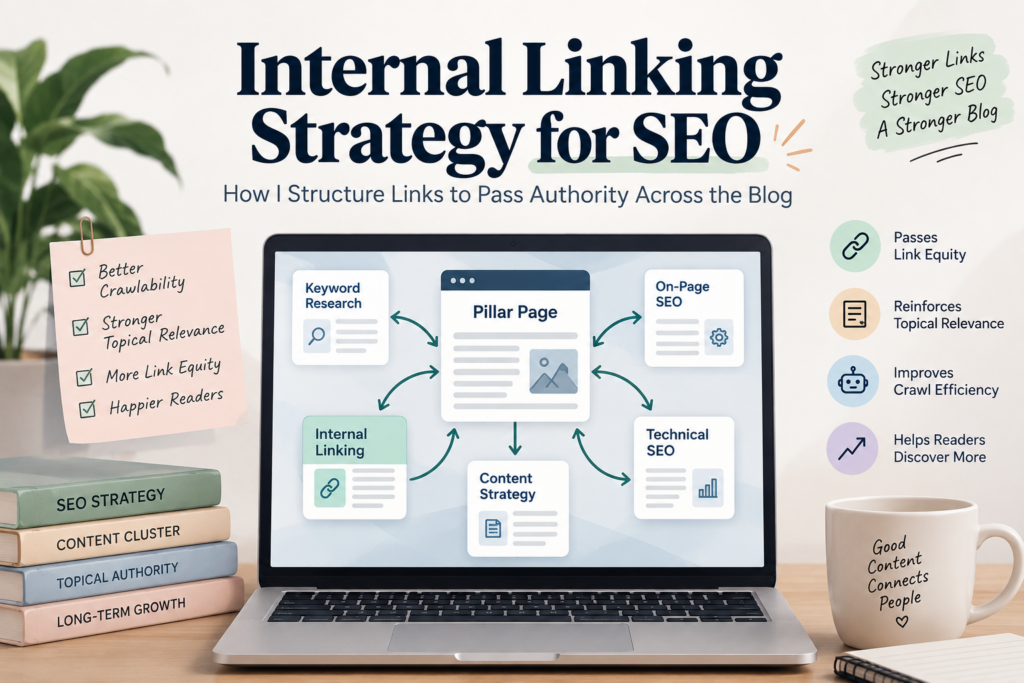
Internal linking is more than dropping in a few links before hitting publish. I’m treating it as content architecture now. The idea is to link relevant pages, strengthen relationships between topics, distribute internal authority, and make important content more discoverable.
I am using this exact framework on innovativeseo.in.
What Internal Linking Does for SEO
An internal link is a link from one page on your website to another page on your website. This sounds easy but a good internal linking structure can affect a lot of important parts of SEO.
Internal links help search engines find pages, and understand how different bits of content relate to each other. A page on keyword clustering would be better placed on an SEO Strategy page when it links to related content on keyword research, pillar pages, content clusters and content optimization.
Secondly, internal links can help pass link equity around your site. If you have a page that is winning external backlinks , it can also pass some of that internal authority to other pages via relevant links .
Third, internal links aid navigation. If someone reads an article about SEO strategy and the next logical step is a guide about content clusters, the internal link removes the friction to find that article.
So I think internal linking has three jobs:
- Help search engines crawl and understand the site.
- Connect related content into topical groups.
- Help readers move naturally from one useful page to another.
This is also why I do not treat internal links as an afterthought.
The 3 Internal Linking Mistakes I Try to Avoid
Mistake 1: Only Linking to the Homepage or Category Pages
One of the most common mistakes is linking back to the homepage or a broad category page for almost every article.
The links aren’t necessarily wrong, but they are seldom the most useful contextual connection.
If I write an article about keyword clustering, linking only to the SEO Strategy category doesn’t tell the reader what to read next. A contextual link to another article on pillar pages or keyword research is much more helpful.
My rule of thumb is simple: link to the most relevant next piece of information, not the most important URL on the site.
This creates a stronger network between individual cluster messages.
Mistake 2: Using Generic Anchor Text
I avoid anchors such as:
- Click here
- Read more
- Learn more
- This article
- Check this out
The problem is, these phrases give very little context.
Instead I use descriptive anchor text that tells the reader what they will find if they click on the link.
For instance:
Weak:
“Click here to learn about content clusters.”
Stronger:
“See my guide to [pillar page and content cluster strategy] for the full hub-and-spoke framework.”
The second variant is easier for the reader to digest and provides valuable topic context around the destination page.
The key is to not force an exact-match keyword in every anchor. I want the anchor to naturally mention where they are going.
Mistake 3: Only Linking From New Posts
That was one of the best lessons I learned.
Publishing a new article gives you a new opportunity for internal-linking, but the opportunity works the other way, too.
Let’s say today I publish a new article about keyword clustering. I can add links from that article to older related posts. But I should also go back and add relevant links in older posts that point to the new article.
That creates two-way connections in the cluster.
This is a question I always add when I publish:
“Which existing articles should link to this new page?”
That one question has made my internal linking process much more intentional.
My Hub-and-Spoke Internal Linking Framework
My broader approach follows the same principle as the pillar-and-cluster model I use for content planning.
If you have not read my earlier guide on [pillar page and content cluster strategy], I recommend reading that alongside this article because this post is essentially the execution layer: the cluster tells me which pages belong together, while internal linking determines how I connect them.
The basic structure looks like this:
Pillar page
|
Cluster article >> Cluster article
|
Related supporting content
The pillar page links to the relevant cluster articles and vice versa.
But I don’t stop there.
Links to related cluster articles should be done where there is a real contextual reason.
Take for example an SEO Strategy cluster that could include:
- A pillar page about content clusters
- An article about internal linking
- An article about SEO audit tools
- An article about keyword clustering
The internal links might look like:
Pillar >> Internal linking
Pillar >> Keyword clustering
Internal linking >> Pillar
Keyword clustering >> Pillar
Internal linking >> Keyword clustering
Keyword clustering >> Internal linking
That is much more useful than treating every article as an isolated page.
How I Apply This Framework on innovativeseo.in
The same methodology I use for my SEO content at innovativeseo.in.
For example, this article is part of my SEO Strategy cluster. It naturally ties back to my article on content cluster strategy as internal linking is one of the practical steps you need to do to execute a cluster successfully.
Also relevant to my article on [SEO audit tools] when I discuss crawling and internal-link analysis.
Another related link is my guide on [keyword clustering]. Keyword clustering helps me figure out which topics go together, and internal linking helps me turn those relationships into a real site structure.
I also combine content pruning with internal linking. [Content pruning audit] Orphaned pages and weakly connected pages can be important signals that a piece of content needs to be restructured, consolidated or better connected contextually.
That makes a good workflow:
Keyword clustering >> Content planning >> Publishing >> Internal linking >> Auditing >> Content pruning
This is how I think of topical authority on my own site. I’m not trying to connect all the pages to all the other pages. I’m building relationships where the relationship is reasonable.
My Pre-Publish Internal Linking Checklist
This is the checklist I use before publishing a new article.
- Identify the primary pillar or hub this article belongs to.
- Add a contextual link to the relevant pillar page.
- Find 2–4 existing articles that genuinely support the new article.
- Add links to those relevant supporting articles where they make sense.
- Identify older articles that should link back to the new page.
- Use descriptive and natural anchor text.
- Check that every internal link leads to the correct live URL.
- Avoid adding links simply to reach an arbitrary number.
- Make sure the linked page genuinely helps the reader continue their journey.
- Check for orphaned or weakly connected pages during the next audit.
What matters most here isn’t the number of links.
It is relevance.
I’d rather have three very useful internal links than fifteen links because someone said every article needs a certain number.
Anchor Text Rules I follow.
My anchor text strategy is straightforward.
1. Make the destination obvious
The reader should have a reasonable idea of what they will find after clicking.
2. Use keywords naturally
I am comfortable using relevant keywords in anchors, but I do not force exact-match phrases everywhere.
For example, if the destination page is about keyword clustering, an anchor such as “keyword clustering process” can be perfectly natural.
3. Vary the anchors
If several pages point to the same destination, I do not need every anchor to be identical.
I might naturally use:
- keyword clustering
- keyword clustering process
- how I group related keywords
- my keyword clustering guide
The destination remains the same, but the surrounding language changes according to the context.
4. Avoid misleading anchors
The biggest mistake is making an anchor sound relevant when the destination page does not actually satisfy that expectation.
Internal links should improve the user’s experience, not trick the user into clicking.
How I Find Internal Linking Opportunities
I use a combination of manual review and SEO tools.
Before writing a new article, I look through my existing content for related topics. I look at titles, headings and the content itself, not blindly putting in links based on keywords.
Tools become much more useful for larger audits.
Screaming Frog
Screaming Frog is particularly useful for seeing the internal-link structure at scale.
Its internal links report can help identify:
- Pages with very few internal links
- Pages receiving many internal links
- Internal-link relationships
- Orphaned or poorly connected content
- Broken internal links
For a larger site, manually checking every relationship becomes inefficient. Crawling the site gives me a much clearer picture of the overall structure.
I also use my [SEO audit tools guide] when deciding which auditing workflow makes sense for a particular task.
Ahrefs
Ahrefs can help me dig into internal backlinks and see what pages are getting internal links.
I view this more as an analysis than a rigid rulebook.
The idea is to find patterns: Is an important page barely connected? Does one page have an unusual number of internal links? Is a newer article isolated from the rest of its topic cluster?
Those questions are more valuable than just pursuing a link-count goal.
Link Whisper
For WordPress sites, Link Whisper can make internal-link discovery much faster.
It can surface potential internal-link opportunities that I might otherwise overlook, which is especially useful as the number of published articles grows.
I still review suggestions manually. Automation can identify a possible relationship, but I decide whether the link genuinely helps the reader.
My Quarterly Internal Link Audit
I do not consider internal linking a one-time task.
Every few months, I review the site’s internal-link structure and look for pages that have become disconnected.
I start with orphaned pages.
An orphaned page is essentially a page that has no useful internal links pointing toward it from other pages. If a valuable article exists but the rest of the site barely references it, I have to ask why.
I then look for pages with very few internal links, outdated links, broken links, and opportunities to connect newer content with older articles.
This is also where internal linking overlaps with my [content pruning process].
A quarterly audit can reveal that an article:
- Has no meaningful internal links.
- Is targeting a topic covered better elsewhere.
- Should be consolidated with another article.
- Needs updated contextual links.
- Is useful but simply difficult to discover.
I do not automatically delete a page just because it has few internal links. I first determine whether the content deserves to be strengthened, redirected, consolidated, or retained.
What I Do Not Do: Chase a Magic Number of Links
One of the biggest mistakes I see in internal linking advice is turning link counts into a rigid SEO formula.
There is no number of internal links that automatically makes a page optimized.
A 1,500-word article might naturally need only a handful of internal links. Another article covering a broad topic may have many legitimate opportunities.
Instead of asking:
“Have I added enough links?”
I ask:
“Have I connected this page to the content a reader is most likely to need next?”
That keeps the strategy focused on relevance rather than a cargo-cult metric.
How Internal Linking Supports Topical Authority
Internal linking alone does not create topical authority.
Publishing useful content, demonstrating expertise, matching search intent, maintaining quality, and building a coherent topical structure all matter.
But internal links help make that structure visible.
When several related pages consistently reference one another in meaningful contexts, the relationships between those topics become much clearer.
For example, my SEO content does not exist as dozens of completely independent articles. Topics such as keyword research, keyword clustering, content clusters, internal linking, technical SEO, and SEO audits overlap.
Internal links allow me to connect those concepts into a structure instead of leaving readers to discover them independently.
That is what I mean by internal linking for topical authority.
My Simple Internal Linking Workflow
My current workflow can be summarized in seven steps:
1. Map the topic
I identify where the new article fits within the existing content structure.
2. Choose the primary destination
Usually this is the relevant pillar or hub page.
3. Find supporting content
I identify existing articles that genuinely add context.
4. Add contextual links
I place links where they naturally help the reader.
5. Choose descriptive anchors
I make the destination clear without forcing keywords.
6. Add reverse links
I revisit relevant older articles and connect them to the new page.
7. Audit later
I check the structure periodically and fix orphaned, broken, or weakly connected pages.
This turns internal linking from a publishing afterthought into part of my SEO workflow.
Final Thoughts
My biggest change in thinking about internal links was stopping them from being something I added at the end of publishing.
Now I treat them as part of the content architecture from the beginning.
I map the topic, identify the relevant hub, connect supporting articles, use descriptive anchors, revisit older content, and audit the structure regularly.
For innovativeseo.in, that means my content does not have to compete as a collection of disconnected pages. Each useful article can support another relevant article, strengthen the overall topic structure, and give readers a clearer path through the site.
That is the real purpose of an internal linking strategy SEO: not to create as many links as possible, but to create the right connections between the pages that matter.
Frequently Asked Questions
How many internal links should an SEO article have?
I do not use a fixed number. The right number depends on the topic, length, site structure, and genuinely relevant destinations. I focus on useful contextual connections rather than hitting an arbitrary link count.
Does internal linking help with SEO rankings?
Internal links can help search engines discover and understand pages and can distribute internal authority between relevant pages. They can also improve navigation and make important content easier for users to find. However, internal linking is one part of a broader SEO strategy, not a standalone ranking shortcut.
What is the best anchor text for internal links?
The best anchor text is descriptive, relevant, and natural. It should give the reader a clear idea of what the linked page covers. I use relevant keywords when they fit naturally, vary anchor wording where appropriate, and avoid generic phrases such as “click here.”