Today, on-page SEO tools are a requirement for anyone who wants to optimize pages efficiently without turning every article into a checklist of keywords and advice. The right tool can help you improve titles, headings, internal links, readability, search intent alignment and other on-page elements, while still leaving room for your own expertise and creativity.
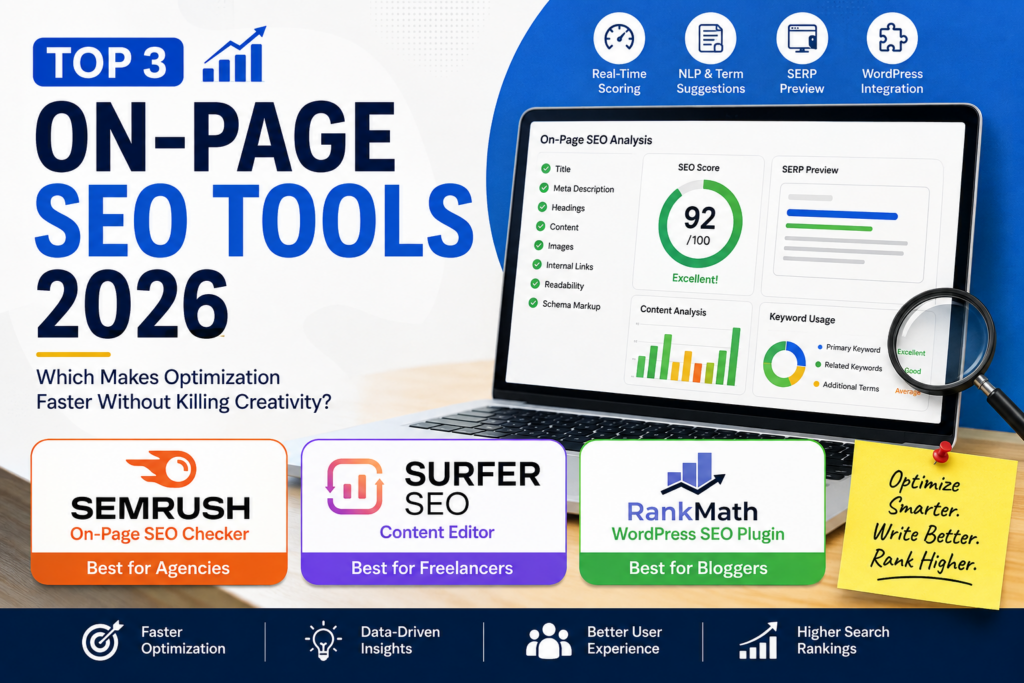
But not all SEO tools are made for the same purpose.
Some tools are primarily concerned with content optimization, allowing you to create detailed briefs, analyze competing pages, or find topics/terms to cover. Some are more focused on on-page SEO, with recommendations at the page level, SEO scores, SERP previews, controls for metadata, schema options, and technical recommendations.
That’s a significant difference. In this guide, I will be focusing on the specific tools that help you optimize the page itself (not just create a content brief). And that’s also why you see Surfer SEO here considering that I already went into this tool from another angle in my previous comparison of content optimization tools.
The goal is simple. Find the tools that speed up on-page optimization without letting an SEO score dictate to you how to write.
What Are On-Page SEO Tools?
On-page SEO tools assist you in optimizing individual web pages for search engines and users.
They can evaluate or help you improve, depending on the platform:
- Page titles
- Meta descriptions
- H1, H2, and H3 headings
- Keyword usage
- Content relevance
- Internal links
- Readability
- Schema markup
- URL structure
- SERP appearance
- Content length
- Search intent alignment
The greatest advantage is efficiency.
Rather than having to check every single element on the page manually, an on-page optimization tool can help you find opportunities and prioritize changes that are most likely to improve the page.
However, an SEO score should be seen as a guide, not as a goal.
If a tool is telling you to add a keyword 5 more times, but it makes the paragraph sound unnatural, I wouldn’t blindly follow the recommendation. Good content should support search optimization, not replace it.
On-Page SEO Tools vs Content Optimization Tools
These two categories are not identical, but they do overlap.
On-page SEO tools usually focus on optimizing the actual page and its SEO elements.
Content optimization tools tend to focus on things such as content depth, competitor analysis, topic coverage, content briefs, NLP terms and tips for creating or improving the body of an article.
For example, a content optimization workflow could answer:
“What topics and terms to write about to rank for this keyword
An on-page SEO workflow could answer:
“Is this page well optimized, and what do I need to fix before I publish?”
There can obviously be some overlap. A good example is Surfer SEO. It has a Content Editor that can give live content scoring and impact on-page decisions.
This matters because the tools below are assessed mostly based on their ability to do on-page optimization.
If you want to take a deeper look at content-focused platforms like Surfer, Clearscope, and Frase, check out my guide to content optimization tools.
What Should You Look for in an On-Page SEO Tool?
I would suggest trying that tool to see if it works for your workflow before making a choice. Go for the one that has most features.
Here are the most important criteria I would consider.
Real-Time SEO Scoring
A useful tool should show you how well a page is optimized as you work.
The real-time feedback is especially useful when you’re editing an existing article since you can immediately tell if a change made the optimization better or worse.
But don’t sweat it to get a perfect score.
A page scoring 100 is not always better than a page scoring 85.
NLP and Keyword Suggestions
Keyword and NLP suggestions can help you discover relevant concepts you might have overlooked.
The best way to use these recommendations is as a content-quality checklist, not a keyword-stuffing exercise.
Readability Analysis
SEO content still has to be readable.
Look for tools that will identify problems with sentence structure, paragraph length, headings and other readability issues.
SERP Preview
A SERP preview is a way to see how your title and meta description might look in search results.
This helps you catch truncated titles, weak descriptions or messaging that doesn’t really reflect the page.
Title and Meta Editing
If the tool allows you to edit the SEO titles and meta descriptions directly, it can cut down on the number of steps between optimization and publishing.
WordPress Integration
For WordPress bloggers a plugin can be way more comfortable than toggling between various browser tabs.
That’s one of the reasons Rank Math wins in this comparison.
Pricing
Finally, consider whether the features you truly need exist within your budget.
Cheaper isn’t always better.
1. Semrush On-Page SEO Checker
Best for: Agencies and SEO professionals
Semrush is one of the best options when you need more than just a simple page score.
The On Page SEO Checker checks your pages and gives you optimization recommendations based on your competitors, your content, your backlinks, technical SEO, and your overall SEO strategy.
It doesn’t just tell you something is wrong, it tries to give you actionable recommendations.
What I Like About Semrush On-Page SEO Checker
The breadth of recommendations is the biggest advantage.
The tool is able to organize opportunities in different categories, such as:
- Strategy ideas
- Backlink ideas
- Technical SEO ideas
- Content ideas
- User experience recommendations
- Semantic keyword opportunities
This is especially helpful when you have a large website and want to prioritize your optimization opportunities.
For instance, a single page could be rich in content but poorly linked internally. Another might have good on-page optimization but needs better backlinks.
Looking beyond keyword usage, a page-level analysis helps you.
Semrush On-Page SEO Checker for Content Updates
I think this is especially good for existing content.
You don’t start from scratch, you find articles that already have search visibility and see where you can improve them.
This makes the tool more useful in content refresh workflows.
Of course, if you have dozens or hundreds of existing URLs, you can’t very well review each page manually.
Semrush can tell you where the work of optimization may potentially have the biggest impact.
Pros
- Detailed page-level recommendations
- Multiple categories of SEO ideas
- Useful competitor comparisons
- Strong for larger websites
- Helpful for content refreshes
- Integrates with the broader Semrush ecosystem
Cons
- More expensive than basic WordPress plugins
- Can feel overwhelming for beginners
- Some recommendations require additional Semrush data
- Not every recommendation needs to be implemented
My Take
If your job is dealing with SEO on a lot of pages then Semrush is the strongest choice here.
Depth is good for an agency where you may have to find optimization opportunities across multiple websites.
For a small blogger who just wants an SEO checklist inside of WordPress, though, it can be more than you need.
2. Surfer SEO Content Editor
Best for: Freelancers and writers who want live optimization feedback
Surfer SEO has a different view.
Its Content Editor gives you a live optimization score as you write or edit your content, with suggestions about content structure, terms, headings, and other page-level signals.
This makes it particularly useful when you want optimization feedback inside the writing process.
Surfer SEO for On-Page Optimization
The most useful Surfer feature for this comparison is live feedback.
As you write, you can see how your content performs against the optimization criteria the tool defines.
This can help you to identify:
- Missing relevant terms
- Content structure opportunities
- Recommended content length
- Heading opportunities
- Topic coverage
- Optimization gaps
The payoff is speed.
You can make adjustments along the way, rather than finishing an article and then doing an optimization check.
Where Surfer Can Become Too Much
The scoring system that makes Surfer useful can also be distracting.
If you write just to get the score higher, the creativity can go out the window really fast.
For example, suppose you’ve written a natural paragraph that clearly answers the reader’s question. Surfer. Add another term related to it.
Add it if it adds clarity.
Don’t if it makes the paragraph awkward.
The reader should always win over the score.
This is especially the case considering that optimization tools are based on patterns and recommendations. They don’t know your brand voice, first-hand experience, audience relationship or editorial judgment in full.
Pros
- Live optimization feedback
- Useful content structure suggestions
- Easy to use while writing
- Strong semantic/topic guidance
- Helpful for freelancers and content teams
Cons
- Paid tool
- Scores can become distracting
- Recommendations should not be followed blindly
- Better suited to active writing workflows than simple technical audits
My Take
If you want feedback on optimization as you are writing, Surfer is the best option here.
This is especially helpful for freelancers who are frequently writing SEO content and want a repeatable workflow.
But I would use the score as a guide, not as a definition of what is good writing.
3. Rank Math: Free WordPress On-Page SEO Plugin
Best for: Bloggers and WordPress users
If you want a practical on-page SEO tool without paying for a pricey subscription, Rank Math is hard to overlook.
Its free WordPress plugin has an SEO analysis system right inside WordPress so you can improve posts and pages without jumping between tools.
And that is the option I would recommend first to most individual bloggers.
Why Rank Math Works for On-Page SEO
Many common on-page tasks are brought into the WordPress editor with Rank Math.
Depending on what you are using in terms of configuration and features, you can work with:
- Focus keywords
- SEO titles
- Meta descriptions
- SEO scoring
- Content analysis
- Internal linking considerations
- Schema markup
- Social metadata
- Search appearance settings
The biggest advantage is not that Rank Math has every advanced feature available on premium SEO platforms.
It’s that there’s so much of the fundamental optimization workflow in one place.
Rank Math On-Page SEO Scoring
The SEO score is a good quick view of where you might have problems.
It can identify areas like:
- Keyword placement
- Keyword usage
- Title optimization
- Meta description
- Content length
- Heading structure
- Internal links
- Image SEO
This is why Rank Math is especially helpful for bloggers who don’t want to mess around with a complicated SEO workflow.
But here, again, the same rule holds:
Don’t optimize for the score. Optimize the page.
If your article reads naturally and meets the searcher’s needs, don’t ruin it just to boost an SEO score from 88 to 95.
Rank Math Schema Features
Another big benefit is schema functionality.
Schema helps search engines understand different types of content, and Rank Math gives you schema-related controls right inside WordPress.
That’s so you don’t need a separate tool for each structured-data task.
Bloggers who post frequently will save a lot of time by reducing the number of tools they use in the publishing process.
Is Rank Math Really Good Enough for On-Page SEO?
Yes, for most bloggers, it is.
If your primary goal is to improve titles, descriptions, headings, keywords, content structure, internal links, and other common on-page elements, the free version of Rank Math will provide a good foundation.
You don’t need an expensive enterprise platform to optimize a blog post.
Rank Math falls short when you need deeper competitor analysis, large scale SEO opportunity discovery, or advanced content intelligence.
This is where tools like Semrush or Surfer become more helpful.
Pros
- Strong free option
- WordPress integration
- On-page SEO scoring
- SEO title and meta controls
- Schema functionality
- Convenient publishing workflow
- Good fit for individual bloggers
Cons
- Primarily useful within WordPress
- Less comprehensive than enterprise SEO platforms
- Advanced features may require paid plans
- Scores still need human judgment
My Take
My choice for a blogger using WordPress is Rank Math.
It covers the core on-page SEO workflow without having to force yourself into another expensive subscription.
On-Page SEO Tools 2026: Side-by-Side Comparison
| Criteria | Semrush On-Page SEO Checker | Surfer SEO Content Editor | Rank Math |
| Free tier? | Limited/free trial depending on plan | Limited access/trial depending on offer | Yes |
| Real-time scoring | Yes | Yes | Yes |
| SERP preview | Yes | Yes | Yes |
| WordPress plugin | No dedicated native plugin | WordPress integrations/workflows vary | Yes |
| NLP/term suggestions | Yes | Strong | Basic to moderate |
| Price/mo | Higher-tier paid tool | Paid subscription | Free option available |
Pricing and feature availability can change, so check the provider’s current plan before purchasing.
Which On-Page SEO Tool Should You Choose?
There isn’t one universal winner.
The best option depends on what you’re trying to accomplish.
Best On-Page SEO Tool for Bloggers: Rank Math
If you’re running a WordPress blog and want to improve your individual pages without paying for an expensive SEO platform, Rank Math is the clear winner.
It puts the essentials right inside WordPress.
You can improve your title, meta description, focus keyword, content, links, and schema right from your editor.
That’ll be good enough for most bloggers.
Best On-Page SEO Tool for Freelancers: Surfer SEO
If you’re writing SEO content for multiple clients and want live optimization feedback as you’re creating articles, Surfer SEO is my pick.
Its greatest strength is the feedback loop:
Write >> optimize >> check >> improve.
Just don’t let the score become the objective.
Your objective is a useful page that satisfies the searcher’s intent.
Best On-Page SEO Tool for Agencies: Semrush
Semrush is the winner for agencies with multiple websites.
Its page-level recommendations are more than just keyword optimization and can reveal content, technical, backlink and strategic opportunities.
This wider view makes it a better fit for professional SEO teams.
How I Would Use These Tools on a Real Website
On innovativeseo.in, I wouldn’t use an SEO tool to dictate every sentence.
My workflow would be:
Step 1: Start with search intent
Before opening any optimization tool, understand what the searcher actually wants.
Step 2: Write for the reader
Create the article naturally and make sure the main question is answered clearly.
Step 3: Run the page through an optimization tool
Use the tool to identify missed opportunities.
Step 4: Fix meaningful issues
Improve titles, headings, internal links, metadata, and readability and coverage of relevant topics, where the recommendation actually helps the page.
Step 5: Ignore recommendations that hurt the content
This is the step many people skip.
If a recommendation makes your article repetitive or unnatural, don’t implement it simply because the tool says so.
Step 6: Review the final page as a human
Read the article from the reader’s perspective.
Would you really want to read it?
If the answer is yes, you’ve accomplished something more valuable than a perfect optimization score.
Final Verdict: Which On-Page SEO Tool Is Best?
After testing these three on-page SEO tools 2026 options, my picks are simple:
Rank Math >> Best for bloggers
It’s the best blend of accessibility, WordPress integration, useful on-page controls, and free functionality.
Surfer SEO >> Best for freelancers
The live optimization workflow is useful for writers who often create SEO-focused content.
Semrush >> Best for agencies
Its broader, page-level recommendations and SEO ecosystem make it a better fit for large-scale optimization.
The most important thing to remember is that the best SEO tool isn’t the one that gives you the highest score.
It’s the one that leads to meaningful improvements faster.
But the content should still be driven by your creativity, expertise, firsthand experience, and understanding of your audience.”
The tool should be used to make your work better, not to make every article sound like it was written by a scoring algorithm.
Final Thoughts
Doing SEO on-page isn’t a trade-off between optimization and creativity.
The right workflow provides you with both.
If you need a practical, free WordPress solution, go with Rank Math, if you need live writing and optimization feedback, go with Surfer SEO, and if you need deeper page-level SEO analysis at scale, go with Semrush.
The tool should do the repetitive analysis so you can spend more time making the content really useful.
And that’s really what good on-page SEO should be all about.
Frequently Asked Questions
1. Is Rank Math really good enough for on-page SEO?
Yes. Rank Math is sufficiently good for most bloggers who require basic on-page SEO features like title and meta optimization, keyword analysis, content checks, internal linking considerations, and schema features.
You don’t need an expensive SEO platform to do basic on-page optimization.
Larger websites and professional SEO teams, though, might prefer Semrush’s more detailed page-level analysis or Surfer’s content optimization workflow.
2. Are on-page SEO tools worth paying for?
They definitely can be, especially if you have a lot of pages to manage or produce SEO content on a regular basis.
Paid tools can save time by automating analysis, finding opportunities for optimization, and providing deeper competitive or content insights.
But if you’re running a small WordPress blog, a free tool such as Rank Math may already take care of most of your needs.
3. Should I try to get a 100 SEO score?
No. SEO score is a diagnostic signal, not a ranking guaranty.
If you have to awkwardly repeat keywords or throw in extra headings to make your article harder to read to get to 100, don’t.
Focus on satisfying search intent, creating useful content, optimizing important on-page elements, and providing a good user experience.