I would spend a lot more time writing new articles than reviewing the content I’d already published. That was a big error. I learned that over time, a website can just as easily collect old, duplicate, and low-value pages as it can useful resources. That’s why I now include a content pruning SEO audit as part of the quarterly SEO work I do.
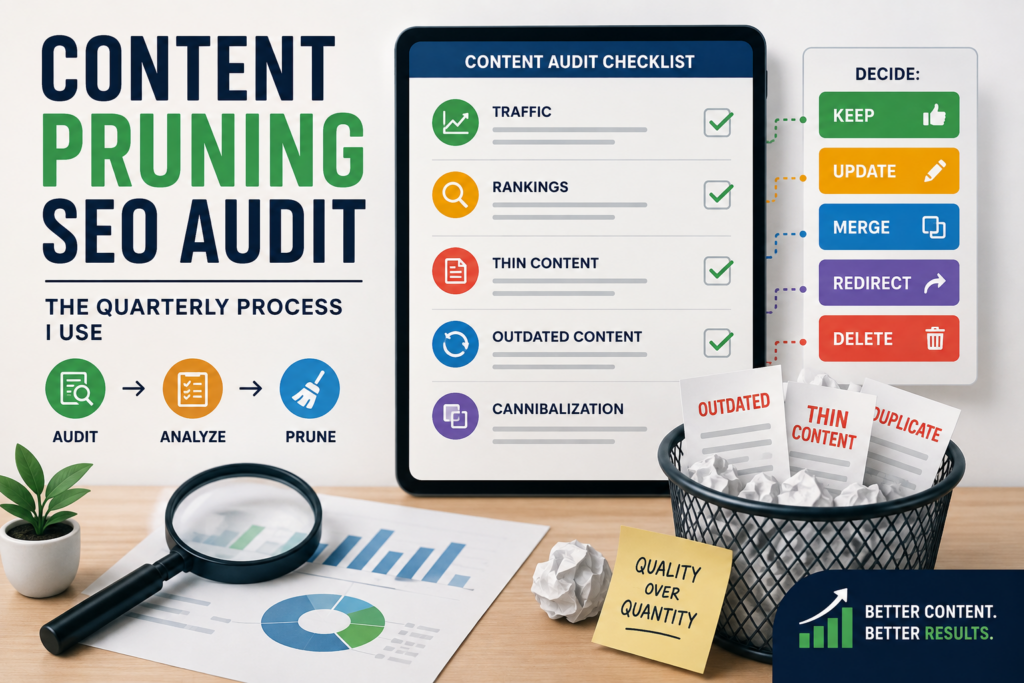
Content pruning is not about deleting old articles just because they are not generating any traffic. It is about judging what should stay, what should be improved, what should be consolidated, and what no longer has a useful purpose.
This is especially important for blogs with older content, including sites with posts published between 2009 and 2023. In that time, SEO best practices, search behavior, algorithms, and even the meaning of certain queries can change dramatically.
It’s simple. Gather the data, understand the intent of every page, and make a decision based on evidence, not page age or word count.
What Is Content Pruning and Why Is It Underrated?
Content pruning is the process of reviewing the content that exists on your website and deciding what to do with each page – keep it, update it, merge it, redirect it or delete it.
I think of it as the maintenance side of SEO.
New content published opens up opportunities to rank for more searches. Pruning ensures that the content already on the website still warrants being there.
Problems that aren’t always apparent when examining individual articles can be found through a content pruning SEO audit. You may find three articles aiming at almost the same subject, an old post that contains information that is not true anymore, or a short article that has little value for the reader.
But I’m not a fan of deleting content just to reduce the number of URLs on a website.
Quality, relevance, and utility must be the goal of a content pruning strategy.
A smaller set of strong resources can be more valuable than hundreds of pages that have overlap, provide little information, or no longer satisfy search intent.
What I Check During an SEO Content Audit
I start my SEO content audit process with data. I don’t go to an article and decide immediately whether it should be deleted.
I look at several signals at the same time.
Organic traffic
First I verify that the page gets organic clicks.
Good traffic goes to a consistent page, so it is worth thinking about more. But a page that doesn’t get much traffic isn’t automatically a bad page. It could be new, target a low-volume keyword, support another page, or have untapped ranking potential.
Rankings and impressions
I also check impressions, clicks, queries, and average positions in Google Search Console.
If a page receives thousands of impressions but few clicks, the issue may be the title or search intent, not the content.
This is an important distinction during a content pruning SEO audit, because changing the page may be more appropriate than deleting it.
Thin content
One of the most misunderstood concepts in SEO is thin content.
Thin content isn’t only content that is short in word count.
One focused article of six hundred words can answer a specific question. Even today, a 2,000-word article can be thin if it’s full of generic information, unnecessary repetition, little original value, or doesn’t actually answer what the searcher wants.
I consider the following factors when deciding whether to remove thin content SEO pages:
- Does this page answer a meaningful query?
- Does it provide enough useful information?
- Does it contain original insights or examples?
- Is the information accurate and current?
- Would I create this page again today?
If the answers are mostly no, then the page is a good candidate for pruning.
Outdated content
I look for information that is wrong, too.
This is particularly important for SEO websites, as recommendations may change quickly. An article written years ago may reference obsolete tools, techniques, search features, or optimization practices.
During a content pruning SEO audit, I don’t automatically delete outdated content. If the topic is still of value, I generally consider refreshing it.
Keyword cannibalization
Finally, I check if multiple pages are competing for similar topics or search intent.
If three articles are essentially on the same subject, keeping all three might not be the best approach.
Occasionally the best solution is to combine them into one comprehensive resource.
My Step-by-Step Content Pruning SEO Audit Process
My SEO content audit process is a repeatable sequence so I don’t make decisions based on assumptions.
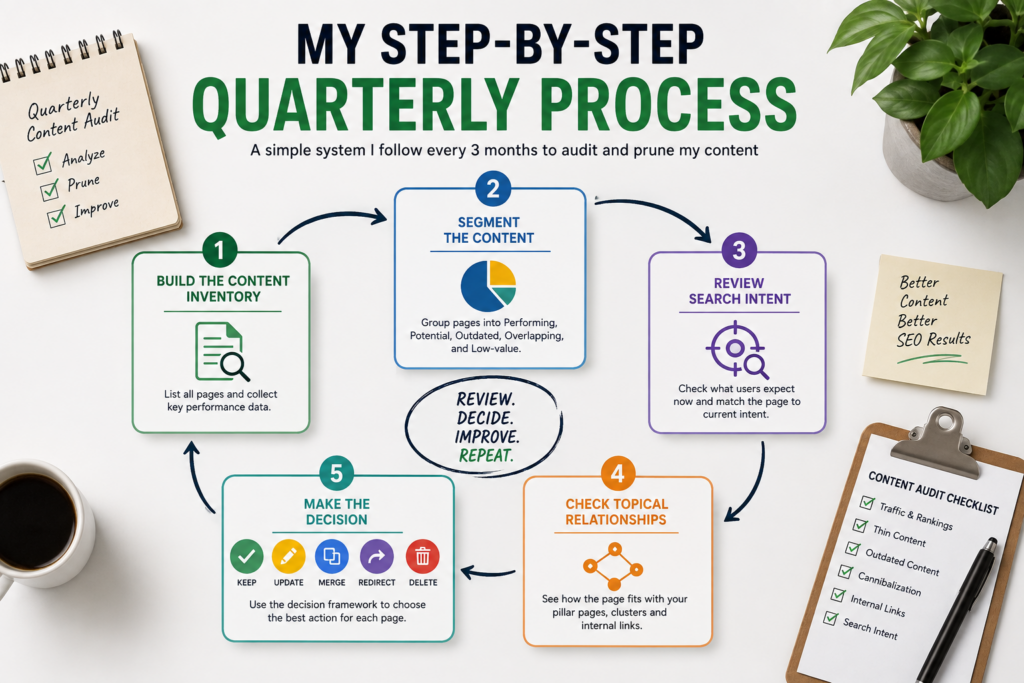
Step 1: Build a complete content inventory
I first list the existing articles on the site and collect basic information about each URL.
I would like to know:
- Publication date
- Organic clicks
- Impressions
- Ranking keywords
- Average position
- Backlinks
- Internal links
- Topic/category
- Current relevance
This step is especially useful for older websites, as it shows how much content has been accumulated over the years.
Step 2: Segment the content
Next, I divide articles into practical groups.
Performing: Generating content, traffic, rankings, backlinks, or conversions.
Potential: Content receiving impressions or rankings but needing improvement.
Outdated: Content that remains useful but needs substantial updating.
Overlapping: Articles covering similar topics or search intent.
Low-value: Pages with little visibility, little useful information, and no strategic purpose.
This makes the content pruning strategy much easier to execute.
Step 3: Review search intent
This is one of the most important aspects of my audit.
When considering deleting a page, I search the target query and check what Google serves as useful.
Search intent may change.
A query that used to return short informational articles might now bring back in-depth guides, product-focused results, or comparisons.
If the topic is still good, but the article doesn’t match current intent, I usually opt to update rather than delete.
That’s where my content refresh process also comes in handy too. If something still has potential, it should be enhanced, not indiscriminately removed.
Step 4: Check topical relationships
Then I look at the place of this page on the website as a whole.
Does it have a pillar page?
Is it part of a content cluster?
Perhaps there is already an article that covers the same subject better?
Would its removal leave a hole in the subject?
The page might not get a lot of traffic, but if it’s an internal link to an important resource, then it’s a strategic one.
Step 5: Make the decision
After reviewing the evidence, I use five possible actions.
| Decision | What it means | When I use it |
| Keep | Leave the page as it is | Strong performance or useful purpose |
| Update | Improve the existing page | The topic is valuable but outdated or weak |
| Merge | Combine content | Multiple pages overlap |
| Redirect | Send an old URL to a relevant replacement | Strong reason to consolidate the URL |
| Delete | Permanently remove the page | No meaningful value or purpose remains |
I deliberately placed deletion last.
A good content pruning SEO audit shouldn’t be an excuse to delete everything that doesn’t generate a ton of traffic.
What I Actually Delete During a Content Pruning SEO Audit
When I revisit older content, I don’t have a formula like “delete anything with less than 100 visits.”
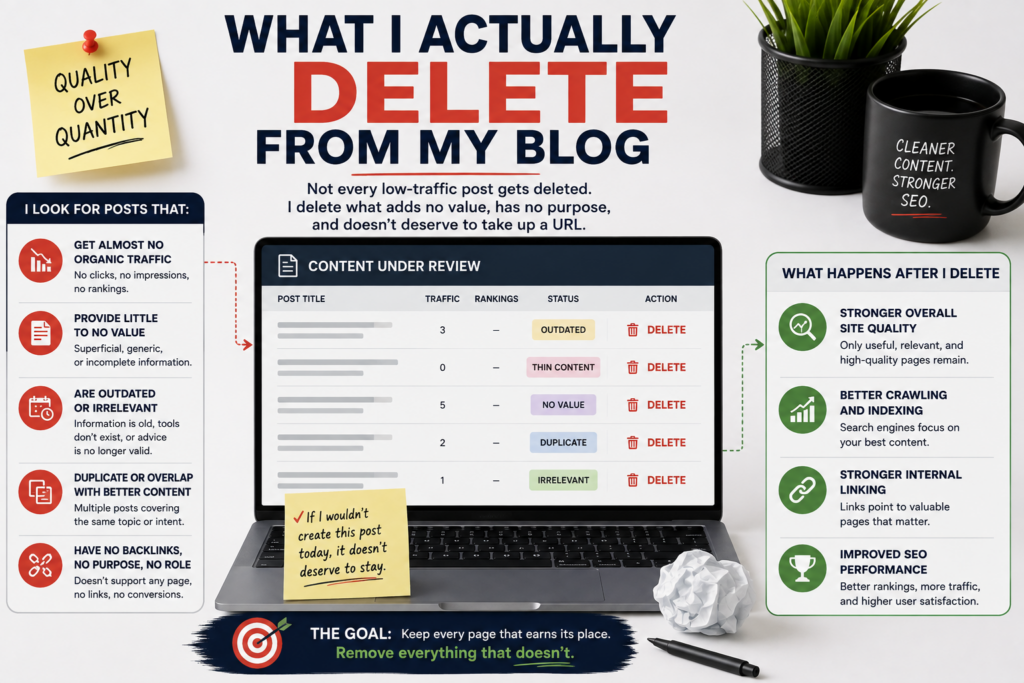
That is an overaggressive approach.
Instead, I look for multiple red flags.
For example, I might remove an article that has almost no search visibility, very little useful information, is out of date, has no meaningful backlinks, doesn’t support another important page, and overlaps with stronger content.
Sometimes an old article has a couple of useful points but isn’t worth its own URL. Then I can take the good points and add them to a stronger article and consolidate the old page.
One of the most useful lessons I’ve learned from doing a content pruning SEO audit is that pruning doesn’t mean throwing information away.
That is, you discard the pages you don’t need and keep the useful knowledge.
I also don’t use word count as my definition of thin content. When trying to remove thin content SEO pages, consider the value of the page, not just the length of the page.
The Decision Framework I Use
My content pruning strategy can be summarized with 5 questions:
Keep: Is the page useful and performing well?
Update: Is the topic valuable but the information outdated or incomplete?
Merge: Is another page covering the same intent more effectively?
Redirect: Does the old URL have value that should be consolidated into a highly relevant replacement?
Delete: Does the page have little value, no strategic purpose, and no appropriate replacement?
This framework keeps me from making emotional decisions about content.
An old page is not a bad page.
A page is not short because it is thin.
A low-traffic page doesn’t necessarily mean that it should be deleted.
When you do a content audit properly, those distinctions are critical.
What Happens After Pruning?
The work doesn’t stop when the URLs are changed.
Update internal links
Once I’ve removed or merged pages, I check internal linking.
I either remove the link or replace it with a relevant resource if another article links to a deleted page.
I also try to find ways to improve links between important pages.
For example, my SEO strategy groupings include on-page SEO, pillar and cluster strategy, search intent, and content pruning. These articles are separate resources, not to be grouped together.
Review redirects
If an old page has a really relevant replacement, I will consider using a redirect.
I don’t redirect every deleted URL to the home page. The destination needs to make sense for someone who originally landed on the old article.
Review the sitemap
After I’ve done a lot of pruning, I go back and look at the XML sitemap and check that the URLs I want search engines to find are represented correctly.
I also use Search Console to check things after I make changes.
Monitor performance
Finally, I compare performance before and after the cleanup.
I look at:
- Organic clicks
- Impressions
- Rankings
- Indexed pages
- Performance of updated content
- Performance of consolidated pages
I don’t expect an immediate traffic increase.
A content pruning SEO audit is a long-term quality control process, and the results depend on the quality of decisions taken.
How a Content Pruning SEO Audit Helps You Avoid Over-Pruning
If you’re wondering how to do a content audit, start with evidence.
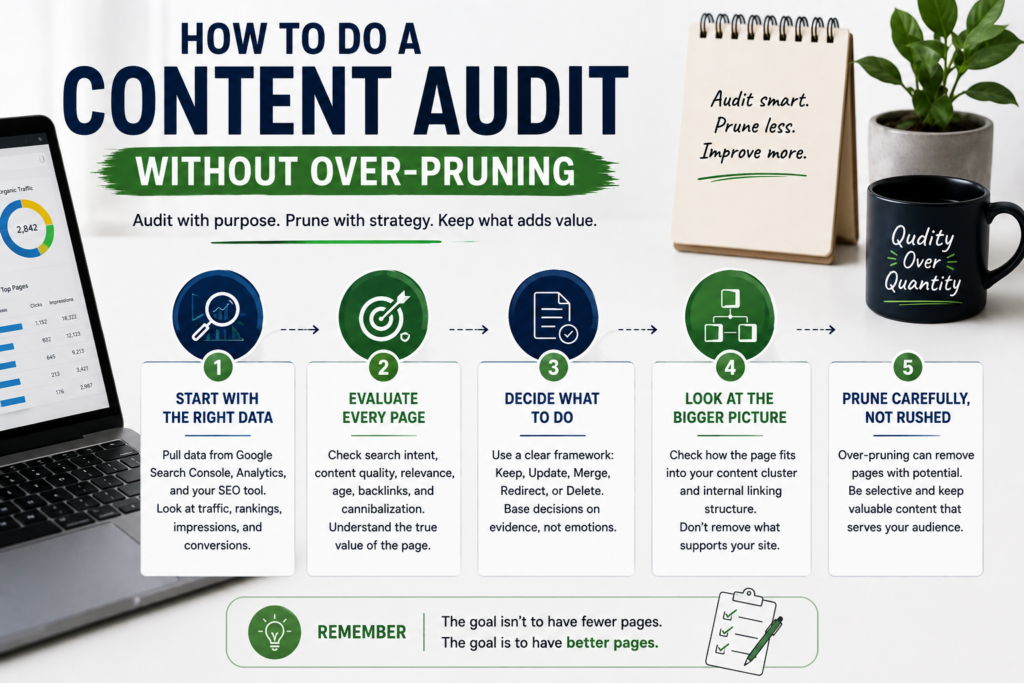
An audit is all about finding out where your content is at and what needs to be done with each page.
Even a page with zero traffic can get backlinks.
A low-traffic page can rank for valuable long-tail queries.
A page that gets a lot of visitors might be outdated and needs an urgent refresh.
Therefore, I prefer the keep, update, merge, redirect, and delete framework over using one traffic threshold for every URL.
Another tip is to check out content in chunks.
E.g., you can audit one category, content cluster, or publication period at a time. This helps in identifying overlapping topics and understanding how pages relate to each other.
That makes your SEO content audit process a lot more accurate and a lot less risky.
Final Thoughts
Now, I consider content pruning a regular part of SEO, not a cleanup task I do only when a website is too hard to manage.
Every quarter I have a simple process: pull the data, look at traffic and rankings, find old or thin content, examine search intent and cannibalization, look at internal links, and for each page decide to keep it, update it, merge it, redirect it, or delete it.
The biggest lesson has been that more content doesn’t necessarily make for a better website.
A small library of useful, relevant, well-connected resources can be far more powerful than hundreds of pages that are outdated, redundant, or no longer useful.
That’s the point of a content pruning SEO audit: not just fewer pages, but that the pages that remain have a clear reason for being there.
FAQ
1. How often should I perform a content pruning audit?
If you are publishing regularly, I recommend reviewing your content at least once every quarter. You don’t need to make big changes every quarter, but reviewing pages regularly helps you find outdated, overlapping, and low-value pages early.
2. Does deleting old content improve SEO?
Not necessarily. Sometimes removing content doesn’t improve rankings. Prior to making a decision, during a content pruning SEO audit, you should consider relevance, search intent, backlinks, internal links, traffic, and the page’s role.
3. What counts as thin content for SEO?
Thin content is content that doesn’t provide enough value for the user’s query. It’s not simply about how many words there are. Short, focused answers are helpful. Long articles can be thin if they are repetitive, generic, or incomplete.
4. Should I delete a page with no organic traffic?
Not always. Start by checking impressions, rankings, backlinks, internal links, conversions, topical relevance, and search intent. A page that doesn’t get clicks today can still be strategically valuable.
5. Should old content be updated or deleted?
If the topic is still useful, then it’s usually worth considering updating it. If it is out of date, duplicated, of low value and has no strategic purpose, then it may be better to consider consolidation or deletion.